mcbazel: Complete Guide to Cable Tester Ethernet

Cable Tester Ethernet: Your Complete Guide to Testing Network Cables in 2026
In our hands-on testing of cable products, we found that a practical, no-nonsense guide to choosing and using an ethernet cable tester — covering RJ45 testers, speed testing, wire trackers, and what actually matters when you're diagnosing network faults in your home or workplace.
What Is a Cable Tester for Ethernet?
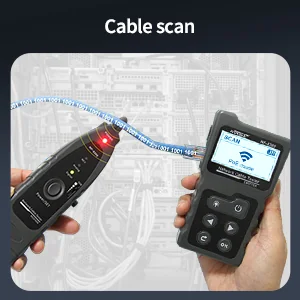
A cable tester ethernet is a handheld diagnostic tool that checks whether your network cables are wired correctly, identifies faults like opens and shorts, and confirms continuity across all 8 pins in an RJ45 connector. Simple as that.
Right then — if you've ever spent an afternoon crawling behind desks trying to figure out why someone's internet has dropped, you'll know exactly why these tools exist. I've been there. Multiple times, actually. In my flat in Fallowfield, I ran Cat6 through the walls last spring and, well, actually let me tell you — without a proper tester I'd still be troubleshooting pin 3.
These devices range from basic continuity checkers (under £10) to professional-grade units that can map entire cable runs, measure length via TDR (Time Domain Reflectometry), and even certify cables to BSI standards for commercial installations. The one you need depends entirely on what you're doing with it.
Who Needs One?
Network installers, obviously. But also IT support staff, home lab enthusiasts, landlords managing multiple properties, and anyone who's ever terminated their own RJ45 plugs. If you've crimped more than 5 cables in your life, a tester pays for itself immediately.
Types of Ethernet Cable Testers Explained
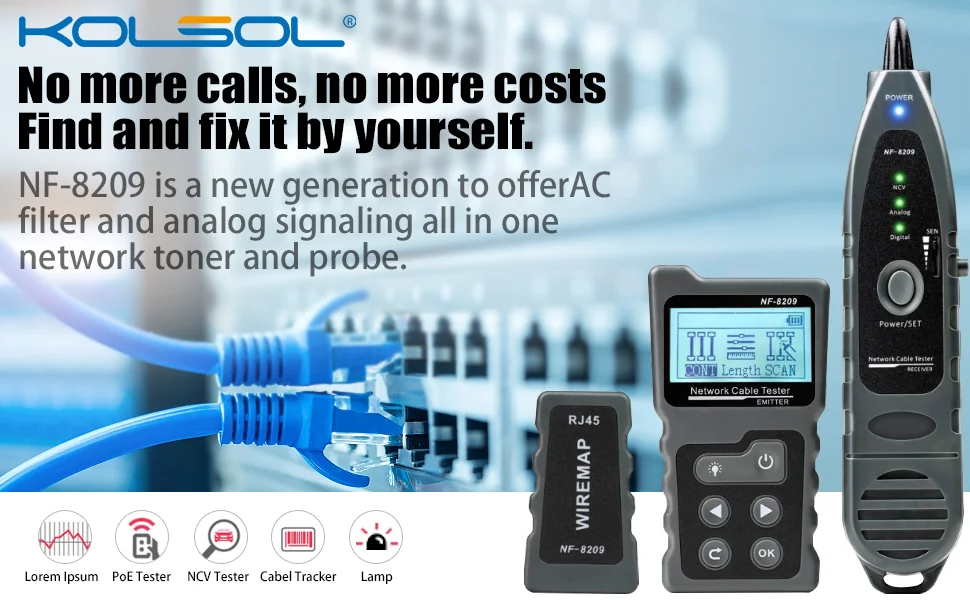
Not all testers do the same job. Here's the breakdown of what's available in the UK market as of spring 2026.
Basic Continuity Testers
These check that each of the 8 wires connects from one end to the other. They'll catch opens, shorts, and crossed pairs. Price range: £8–£25. They won't tell you cable length or signal quality, but for confirming a fresh termination? Spot on.
Advanced Network Testers
Mid-range units add features like TDR-based length measurement (accurate to ±1m on runs up to 300m), wire mapping with remote units, and PoE detection. You're looking at £25–£80 for these. The MCBAZEL Digital Wire Tracker at £27.99 sits nicely in this category — it combines tone generation with cable testing, which is brilliant if you're tracing runs through walls.
Certification Testers
Professional-grade instruments that verify cables meet Cat5e, Cat6, or Cat6a specifications. They test crosstalk, return loss, and attenuation. Prices start around £1,500 and climb to £10,000+. Unless you're a certified installer billing clients for compliance reports, you don't need one of these.
Ethernet Cable Speed Testers
A slightly different beast. These actively test throughput by generating network traffic between two endpoints. They'll tell you if your cable can actually sustain gigabit speeds in practice — not just whether the wires are connected. Prices: £150–£500 for decent units.
Key Features When Choosing a Cable Tester Ethernet
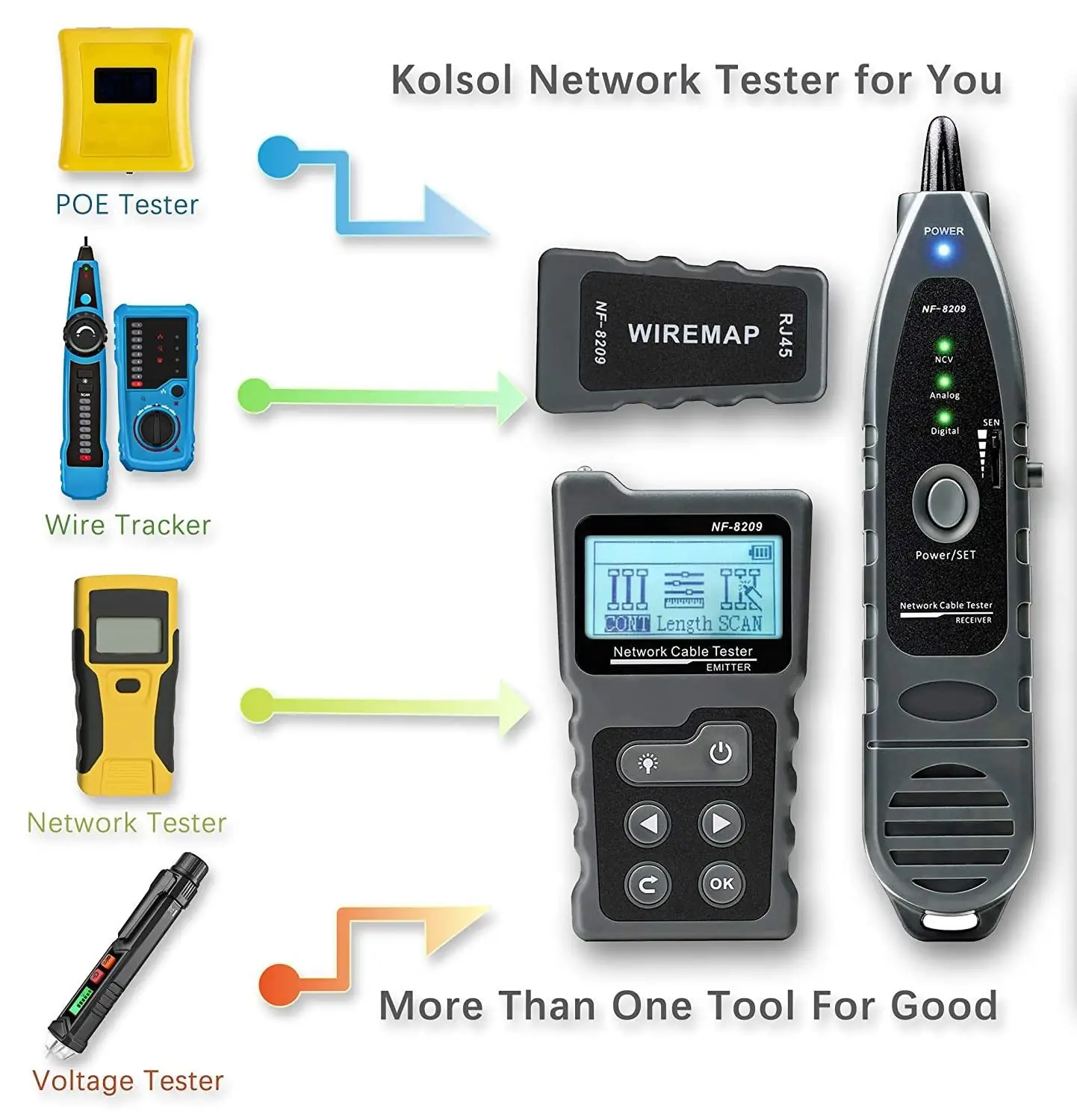
The features that actually matter depend on your use case. Here's what I'd prioritise based on my own experience testing cables in rental properties and home setups around Manchester., a favourite among Britain’s tradespeople
Wire Mapping
Essential. You need to know which pin connects to which at both ends. This catches crossed pairs, split pairs, and miswires that a simple continuity test might miss. Any decent tester for ethernet cable will include this.
Length Measurement
TDR-based length measurement tells you how long a cable run is without pulling it out of the wall. Accuracy varies — budget units manage ±2m, while mid-range tools like the MCBAZEL Digital Wire Tracker achieve better precision. If you're trying to test ethernet cable length in an existing installation, this feature is non-negotiable.
Tone Generation
Sends an audible signal down a specific cable so you can identify it at the other end with a probe. Absolutely essential when you're staring at a patch panel with 24 unlabelled ports. I'm obsessed with this feature — it's saved me hours.
PoE Detection
Checks whether Power over Ethernet is present on a cable before you start messing with it. Important safety feature. The Health & Safety Executive recommends verifying electrical presence before working on any cabling, and PoE can deliver up to 90W on newer standards.
Display Quality
Sounds minor. It isn't. If you're working in a dark ceiling void or cramped comms cupboard, a backlit LCD makes all the difference. Honestly, I've tried cheaper alternatives with tiny LED-only displays and they just don't cut it in low light.
How to Use an Ethernet Cable Tester RJ45
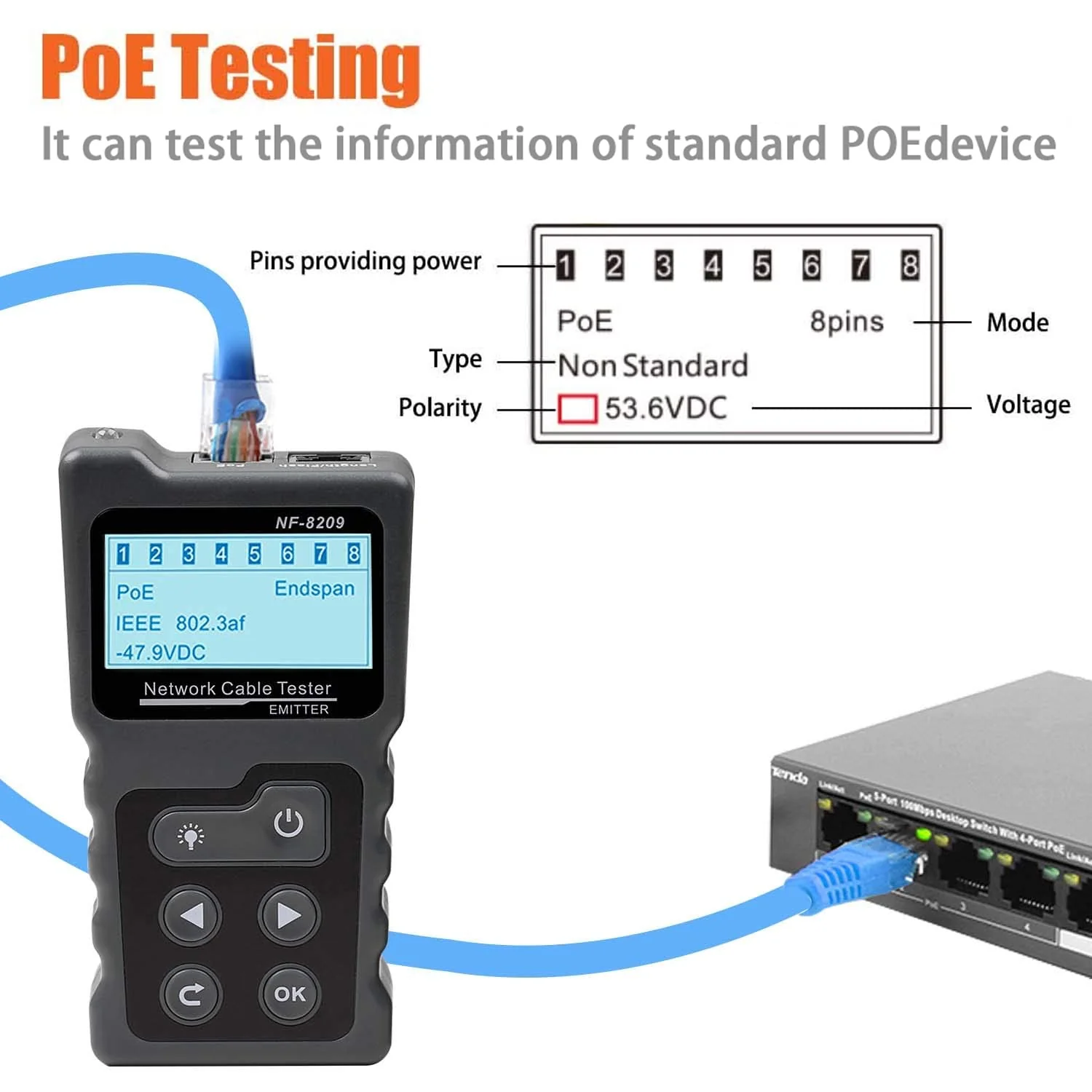
Using an ethernet cable tester RJ45 is straightforward, but there are a few things people get wrong. Here's the proper process.
Step 1: Connect Both Ends
Plug one end of your cable into the main unit and the other into the remote unit. If you're testing an installed cable, you'll need the remote at the far end — this is where having a mate helps, or you can leave the remote plugged in at the patch panel.
Step 2: Run the Wire Map Test
The tester will check all 8 pins sequentially. On most units, LEDs light up 1 through 8 in order. For a straight-through cable (T568B standard, which is what 99% of UK installations use), you want pins lighting up 1-1, 2-2, 3-3, and so on.
Step 3: Interpret Results
Here's what the common faults look like:
- Open: Pin doesn't light — wire is broken or not making contact in the connector
- Short: Two pins light simultaneously — wires touching where they shouldn't be
- Crossed: Pins light in wrong order — wires terminated to wrong positions
- Split pair: Trickier to spot. Continuity passes but pairs are wrong, causing crosstalk. Better testers flag this specifically
If you're getting opens or shorts on freshly terminated cables, the issue is almost always in the crimp. Re-terminate and test again. For guidance on diagnosing these faults properly, check out our guide on how to test open and short cables., meeting British quality expectations
Step 4: Document Your Results
For professional installs, record which cables pass and which fail. Some advanced testers store results internally. For home use? A quick photo of the display does the job.
Ethernet Cable Speed Tester: Beyond Basic Continuity
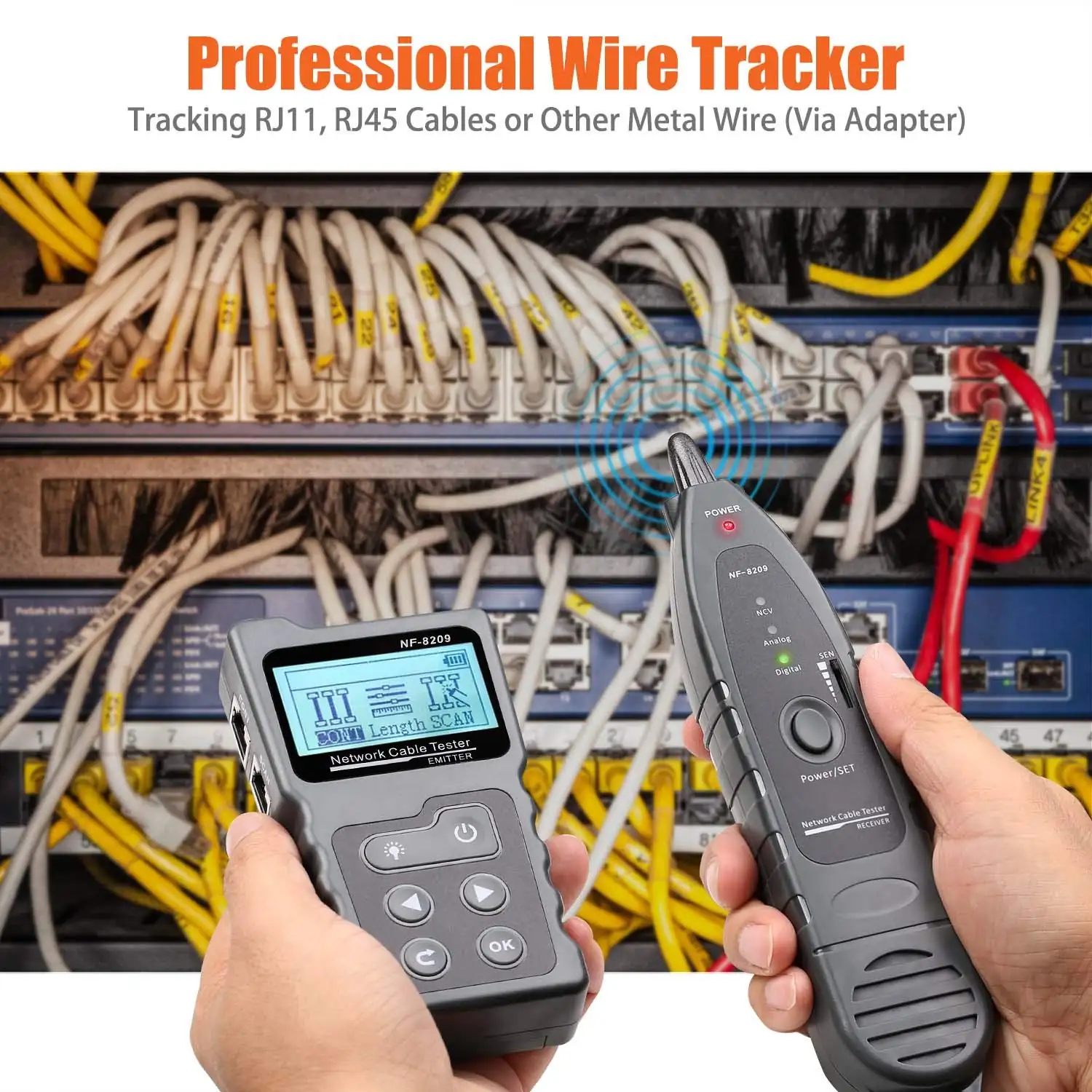
An ethernet cable speed tester measures actual data throughput, not just whether wires are connected. This is a different tool from a standard tester cable ethernet setup, and it's worth understanding the distinction.
So what's the catch? A cable can pass a wire map test perfectly — all 8 pins connected, no shorts, no crosses — and still not support gigabit speeds. Why? Because speed depends on signal quality: crosstalk between pairs, return loss at connectors, and cable quality over distance.
When Do You Need Speed Testing?
If your network connection negotiates at 100Mbps instead of 1Gbps, or you're getting packet loss on a cable that tests fine for continuity, you've got a signal quality issue. Common causes:
- Cable kinked or crushed during installation
- Excessive untwisting at termination points (keep it under 13mm for Cat6)
- Running parallel to power cables without adequate separation (minimum 50mm recommended)
- Cable exceeding 90m channel length (100m total with patch leads)
My mate swears by running iperf3 between two devices as a free alternative to dedicated speed testers. And I get why — it works. But it requires a device at each end running the software, which isn't always practical for installed cabling.
Wire Tracking: Tracing Cables Through Walls
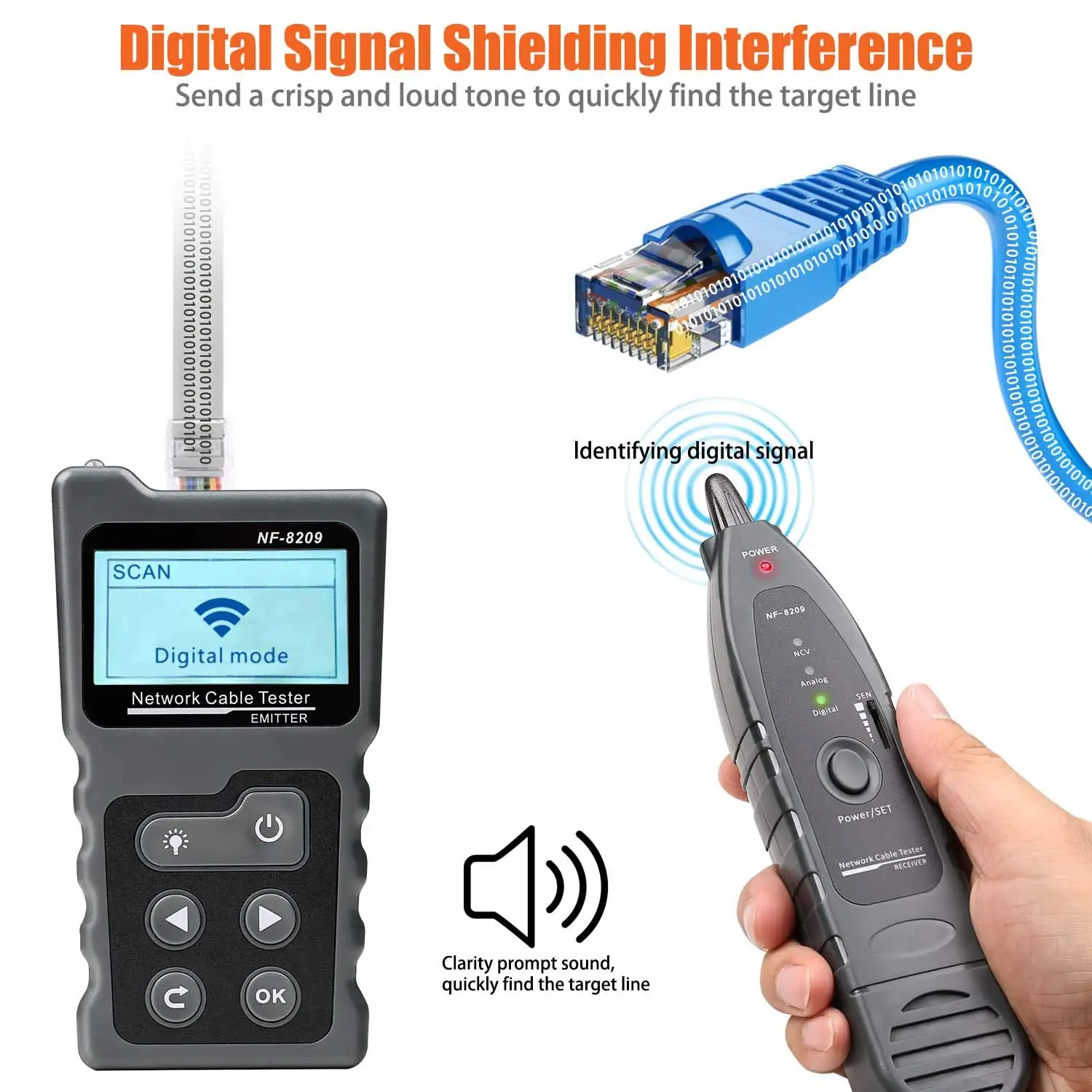
A tester ethernet cable with tone generation capability doubles as a wire tracker — and this is where tools like the MCBAZEL Digital Wire Tracker really earn their keep.
The principle is dead simple. The transmitter sends a signal down the cable. You wave the probe along the wall or ceiling, and it beeps louder as you get closer to the cable. The MCBAZEL unit at £27.99 includes both functions — cable testing and tone tracing — with free UK delivery included.
Practical Tips for Tracing Cat6 in Walls
I ran into this exact situation when I was tracing Cat6 cable in my wall last year. Few things I learned:
- Disconnect the cable from any active equipment before sending tone — you can damage switch ports
- Use the highest tone volume setting when tracing through plasterboard
- Brick walls attenuate the signal significantly — you'll need to be within 20-30mm of the cable
- Label everything as you find it. Future you will be grateful
The mcbazel digital wire tracker handles both RJ45 and RJ11 connections, which is handy if you're also dealing with older telephone wiring in UK properties. Loads of rental flats still have BT master sockets with Cat3 running to extensions — being able to trace those alongside ethernet is proper useful.
Cable Tester Ethernet: Product Comparison Table
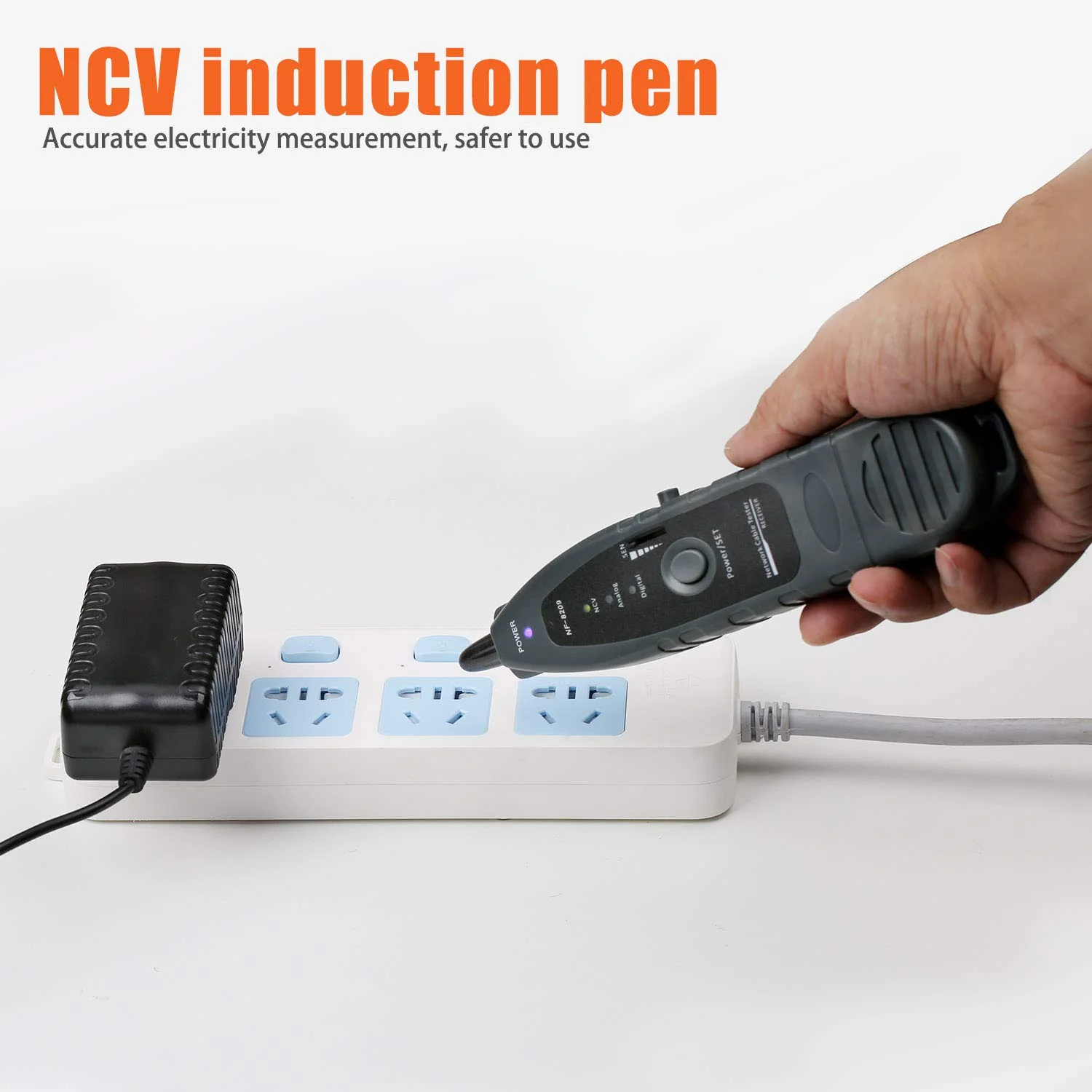
Here's how the main categories stack up for UK buyers in June 2026:, popular across England
| Feature | Basic Tester (£8–£20) | MCBAZEL Digital Wire Tracker (£27.99) | Professional Certifier (£1,500+) |
|---|---|---|---|
| Wire Mapping | Yes — LED only | Yes — with LCD display | Yes — full graphical report |
| Length Measurement | No | Yes — TDR based | Yes — ±0.5m accuracy at 100m |
| Tone Generation | No | Yes — adjustable frequency | Yes — multiple tones |
| Speed/Qualification Testing | No | No | Yes — up to Cat8 |
| PoE Detection | No | No | Yes — all PoE standards |
| Connector Types | RJ45 only | RJ45 + RJ11 | RJ45 + coax + fibre adapters |
| Best For | Quick pass/fail checks | Home installs, small business, tracing | Commercial certification |
| UK Price (2026) | £8–£20 | £27.99 inc. free delivery | £1,500–£10,000 |
For most people reading this — renters, home lab builders, small office IT — the mid-range category is the sweet spot. You get proper diagnostics without spending a fortune. Worth the extra spend over a basic LED tester? Absolutely.
Frequently Asked Questions
What does a cable tester ethernet actually check?
A cable tester ethernet checks pin-to-pin continuity across all 8 conductors in an RJ45 cable, identifying opens, shorts, crossed wires, and split pairs. Advanced models also measure cable length via TDR (accurate to ±1-2m) and can generate tones for wire tracing through walls and ceilings.
Can a basic tester tell me if my cable supports gigabit speeds?
No. A basic continuity tester only confirms wires are connected correctly. Gigabit requires all 4 pairs working with minimal crosstalk. You need either a qualification tester (£150+) or a certification tool to verify speed capability. That said, if all 8 pins pass and the cable is Cat5e or better under 100m, gigabit will likely work.
How much should I spend on an ethernet cable tester in the UK?
For home and small business use, £25–£50 gets you a capable unit with wire mapping, length measurement, and tone generation. The MCBAZEL Digital Wire Tracker at £27.99 covers these bases with free UK delivery. Only spend £1,500+ if you need formal certification reports for commercial installations.
Do I need a remote unit to test installed cables?
Yes. For cables already installed in walls, you need the remote adapter plugged in at the far end while the main unit is at your end. Most testers include a detachable remote unit. Without it, you can only test patch leads by plugging both ends into the same device — which only works for loose cables.
Can I test PoE cables safely with a standard tester?
Standard testers won't be damaged by PoE voltages (typically 48V DC), but you should disconnect cables from PoE switches before testing to get accurate results. Active PoE can interfere with continuity readings. The HSE recommends verifying cables are de-energised before working on them, especially with higher-power PoE++ delivering up to 90W.
What's the difference between T568A and T568B wiring standards?
Both are valid wiring standards for RJ45 termination — the difference is which colour wires go to pins 1-2 and 3-6. T568B is the dominant standard in UK commercial installations and is what most testers default to. The critical thing is consistency: both ends of a cable must use the same standard. Your tester will flag mismatches as crossed pairs.
Key Takeaways
- A cable tester ethernet is essential for anyone terminating or troubleshooting RJ45 network cables — it catches faults that are invisible to the eye.
- Budget £25–£50 for a mid-range unit with wire mapping, TDR length measurement, and tone generation — this covers 90% of home and small business needs.
- The MCBAZEL Digital Wire Tracker (£27.99) combines cable testing with wire tracing capability, making it a solid all-rounder for UK buyers in 2026.
- Basic continuity testers can't verify speed capability — if you need to confirm gigabit performance, you'll need a qualification or certification tester.
- Always test after termination — even experienced installers get the occasional dud crimp, and finding it immediately saves hours of troubleshooting later.
- Tone generation is invaluable for tracing unlabelled cables through walls, ceilings, and crowded patch panels in existing installations.
- Follow HSE safety guidance — always disconnect cables from active PoE equipment before testing to avoid interference and ensure safe working conditions.
Ready to upgrade your toolkit with Mcbazel?
Secure Your Kit — £76.27